
For companies without their own developers
How the MIND Code Agent works
on your WordPress site
Your WordPress site sits with an agency, and a small change waits there for the next sprint. With the MIND Code Agent you ask for that change yourself, in plain language. You see the result right away in a preview, and with our experts at hand you put it live.
We start with WordPress, because many company sites run on it. If you want to look first without connecting your website, you can do that for free on a copy.
From connecting to live
You work with your own site, in a preview. Your live site only changes once you approve your change.
-
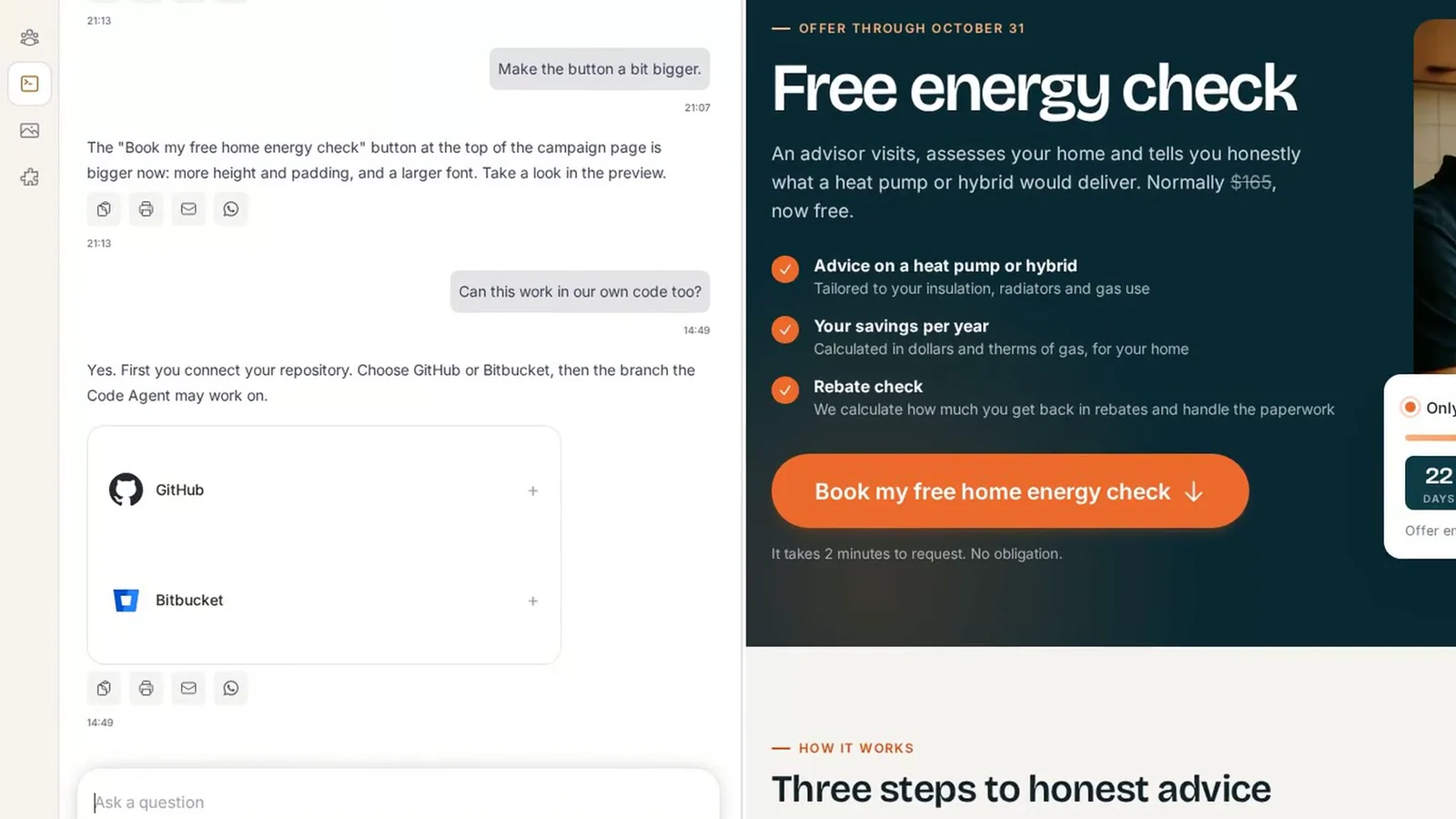
Connect your website
We connect the code of your site, which is on GitHub or Bitbucket. If your site sits with an agency, you first arrange access to that code; we help you with that.
This is available from the Solo plan. What each plan includes is on the pricing page.
-
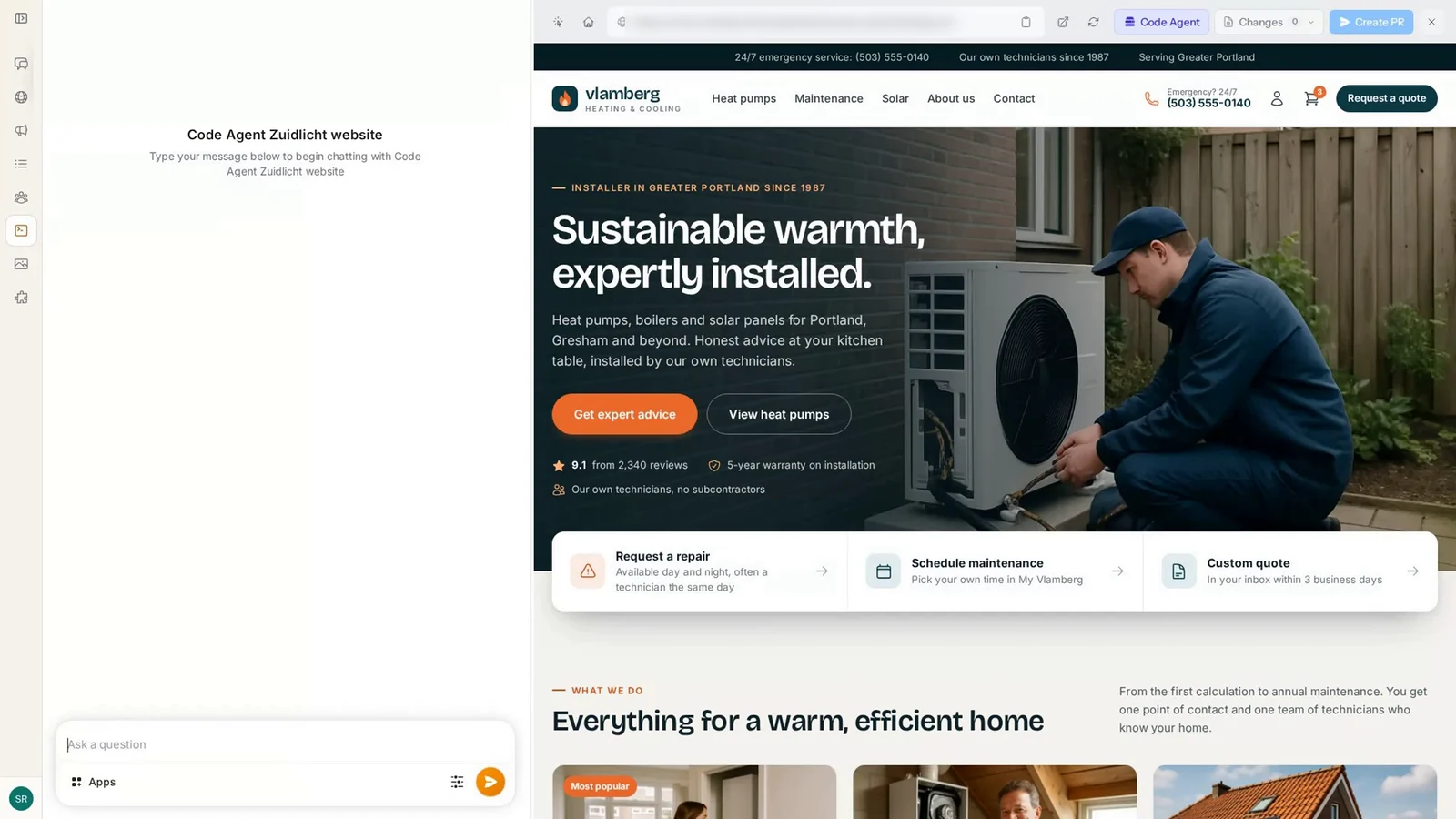
Your site is ready
You see your own site in a preview next to the chat. Your live site does not change while you work.
-
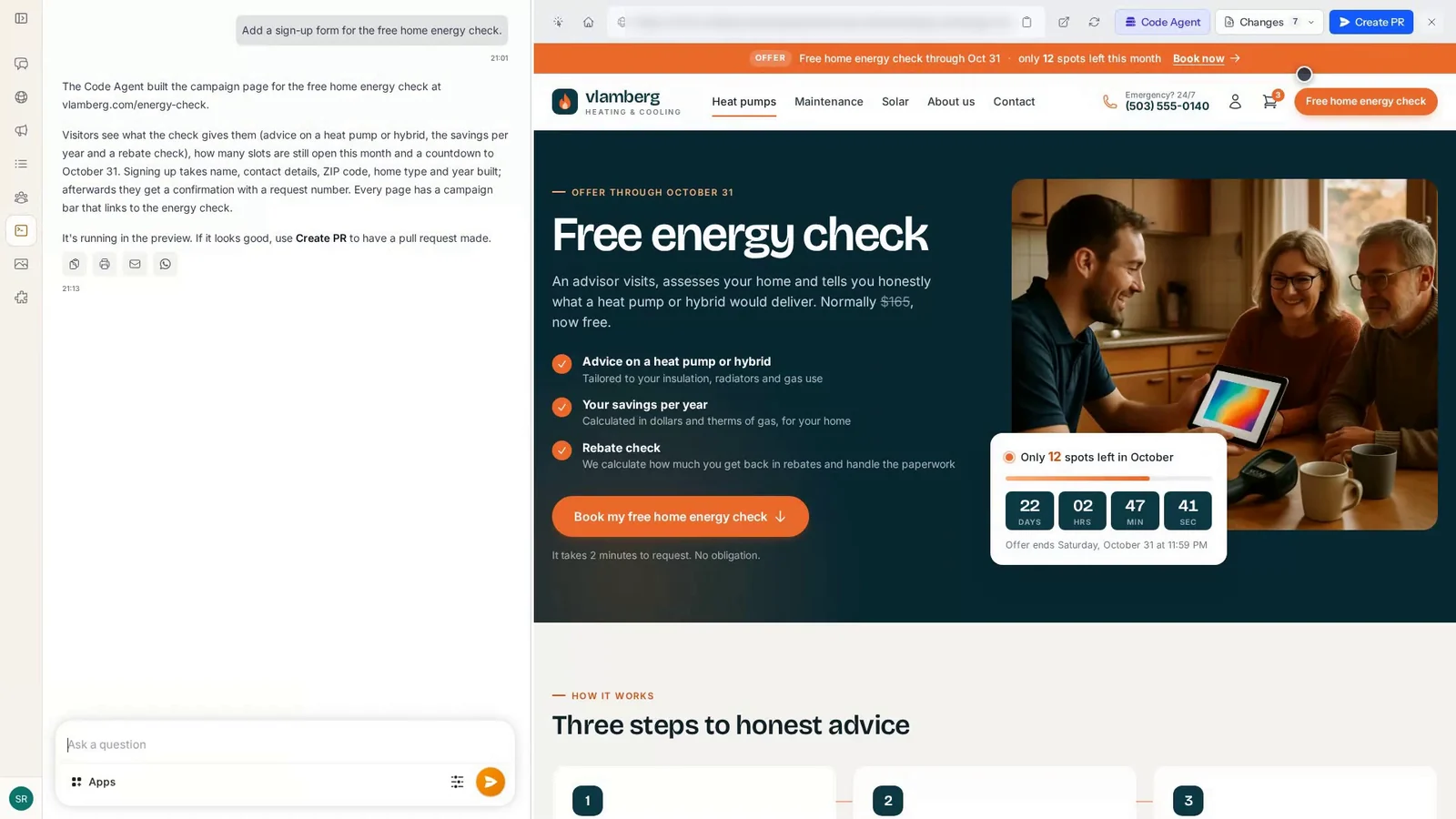
Ask for what you want to change
You say in plain language what you want to change, for instance a sign-up form or a bigger button. You can do that as often as you like, until you are happy. You see every adjustment right away in the preview.
-
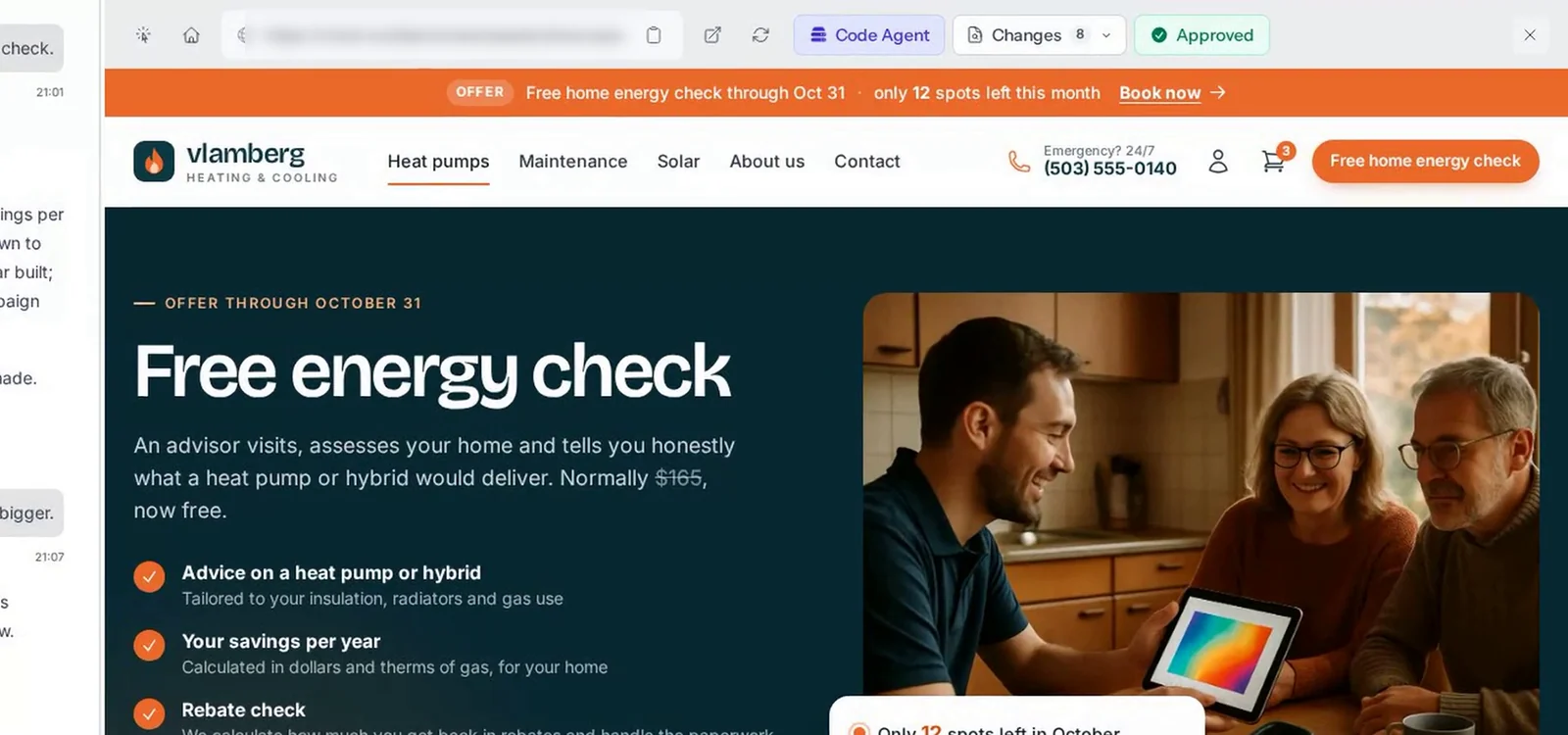
Let an expert look along
Happy with it? If you want a second opinion first, ask one of our experts to look along. They give their view and help when something is off.
-
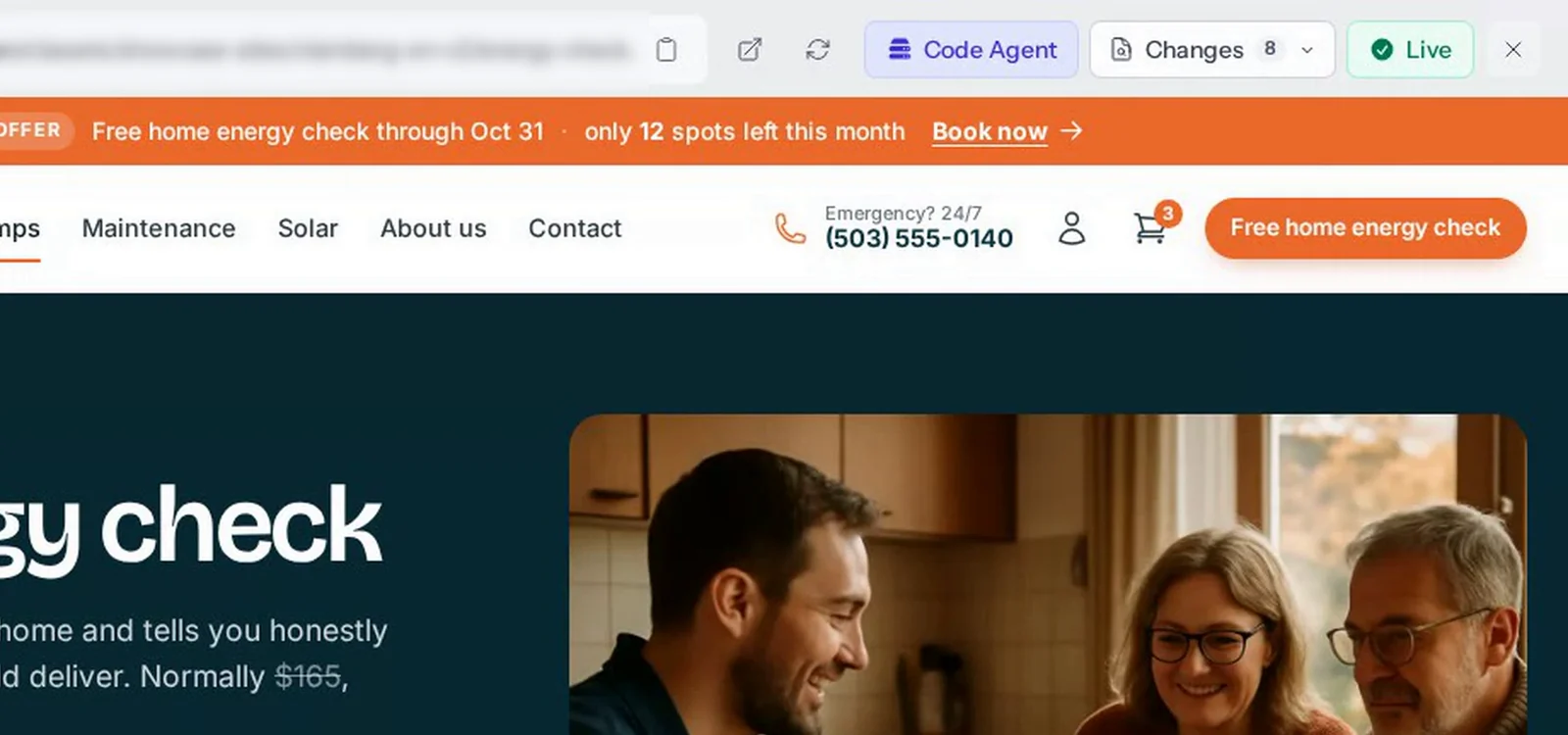
Your change is live
You put your change live, or leave that to us. Nothing goes live without your approval.
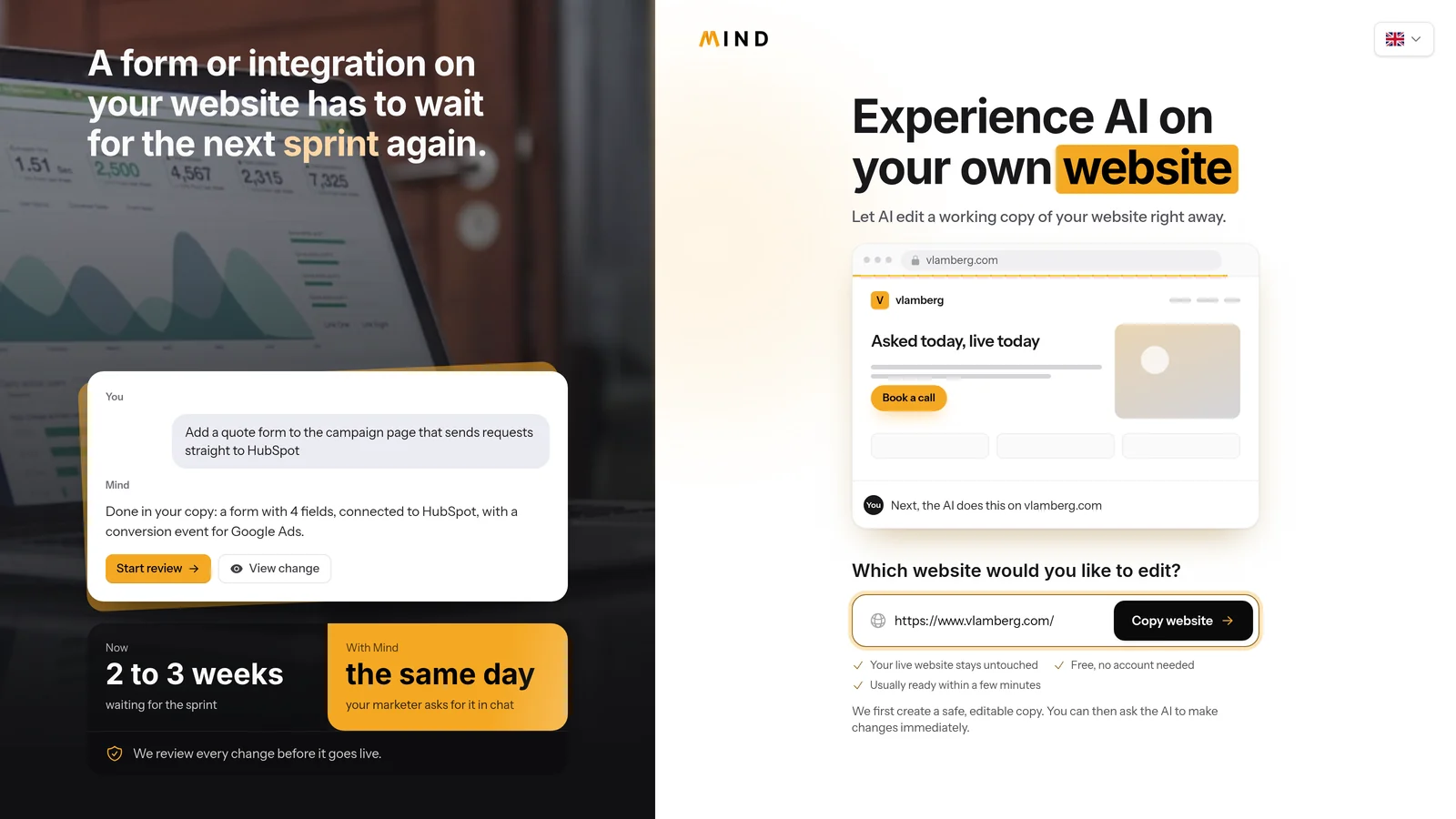
Want to try before you connect your code?
With the free trial you make a copy of a few pages of your site and change it in the chat. That is a test on a copy: your real site and your code do not change.
After you sign up you get a free AI balance once to keep trying. When you want to do real work, you connect your website, as in step 1.
What to expect.
So you know what you start with before you connect your website.
-
Your live site does not change while you work.
You work in a preview. Your visitors notice nothing.
-
Nothing goes live without your approval.
Only when you approve your change does it go live. Want us to put it live? That is possible too.
-
You need access to the code of your site.
If your site sits with an agency, you arrange that access first. We help you with that.
-
A vague request gives a vague result.
The more precisely you say what you want, the better it fits.
-
The free trial is a copy.
It shows you what the code agent can do, but a change in the copy does not reach your real site.
-
Behind the scenes, everything stays traceable.
Technically, the change you send becomes a pull request in the code of your site, so you can always see what changed.
Questions you may have.
If your question is not here, ask it in the chat.
What do I need to start?
The code of your site has to be on GitHub or Bitbucket, and you need a plan from Solo up. If your site sits with an agency, you first arrange access to that code; we help you with that.
Does a change go live by itself?
No. Only when you approve it and put it live, or leave that to us.
What do your experts do?
They look along with you when you ask. Does the change do what you want, does nothing else break, and can it be smarter? Going live is then up to you, or you leave it to us.
Can I try it before I connect my website?
Yes. With the free trial you make a copy of a few pages of your site and change it in the chat. That is a test: your real site and your code do not change. After you sign up you get a free AI balance once to keep trying.
What does it cost?
Trying it on a copy is free. What the plans cost is on the pricing page.
